Save it for later
Keep bookmarks and a reading list in Saved. Organise bookmarks into folders and bring existing bookmarks over with an HTML import.
Made for your day
The project you are deep in. The trip you are planning. The page you want to read later. Give each a little room.
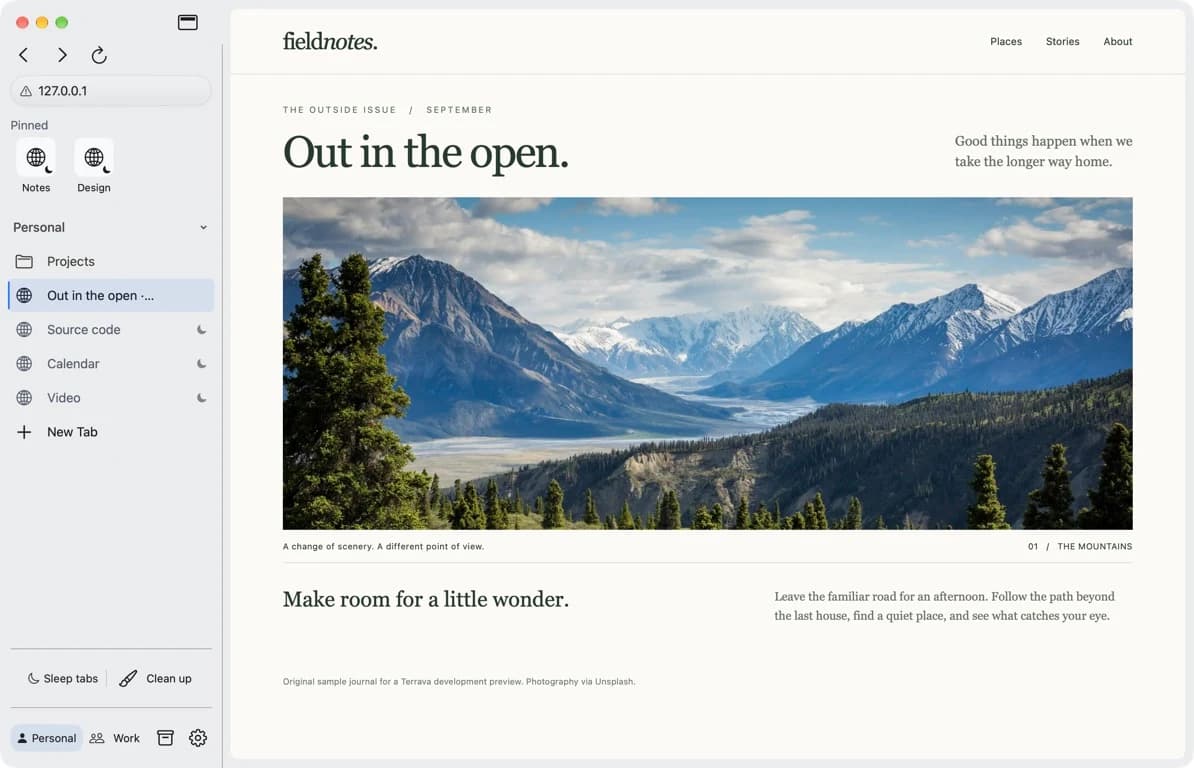
Keep a project’s tabs together in a space. Give it a name and a colour, then organise related pages into folders.
Switch from work to something else without closing everything you were doing. Pinned tabs stay within reach across the spaces in a profile.
Use a work account in one profile and a personal account in another. Each profile has its own website data, keeping cookies and sign-ins separate.
Spaces organise your tabs. Profiles separate the accounts behind them.
Compare a source with your notes. Keep the documentation beside the page you are working on. Split view puts 2 pages in the same window.
Prefer tabs across the top, or in a sidebar? Choose the layout that fits how you browse.
Keep bookmarks and a reading list in Saved. Organise bookmarks into folders and bring existing bookmarks over with an HTML import.
Put background tabs to sleep manually or after an idle interval. Their addresses stay in place. Opening them again reloads the page.
Clean Up Tabs closes duplicate URLs and blank tabs in the current space. Undo the most recent cleanup during the same session.
Find text on a page, search your tabs, manage downloads and return to browsing history from within Terrava.

A new home for your tabs
Get to know Terrava. A native Mac browser for the projects,
plans and little detours that make up your day.